Upload your menu
Add menu photos or a PDF. MenuMeter extracts the items and prices for you to review.
 MenuMeter
Menu intelligence for restaurant operators
Upload the menu, recipe, supplier-cost, and POS files you already use. MenuMeter connects the numbers, finds the opportunities, and tells you what to do next.
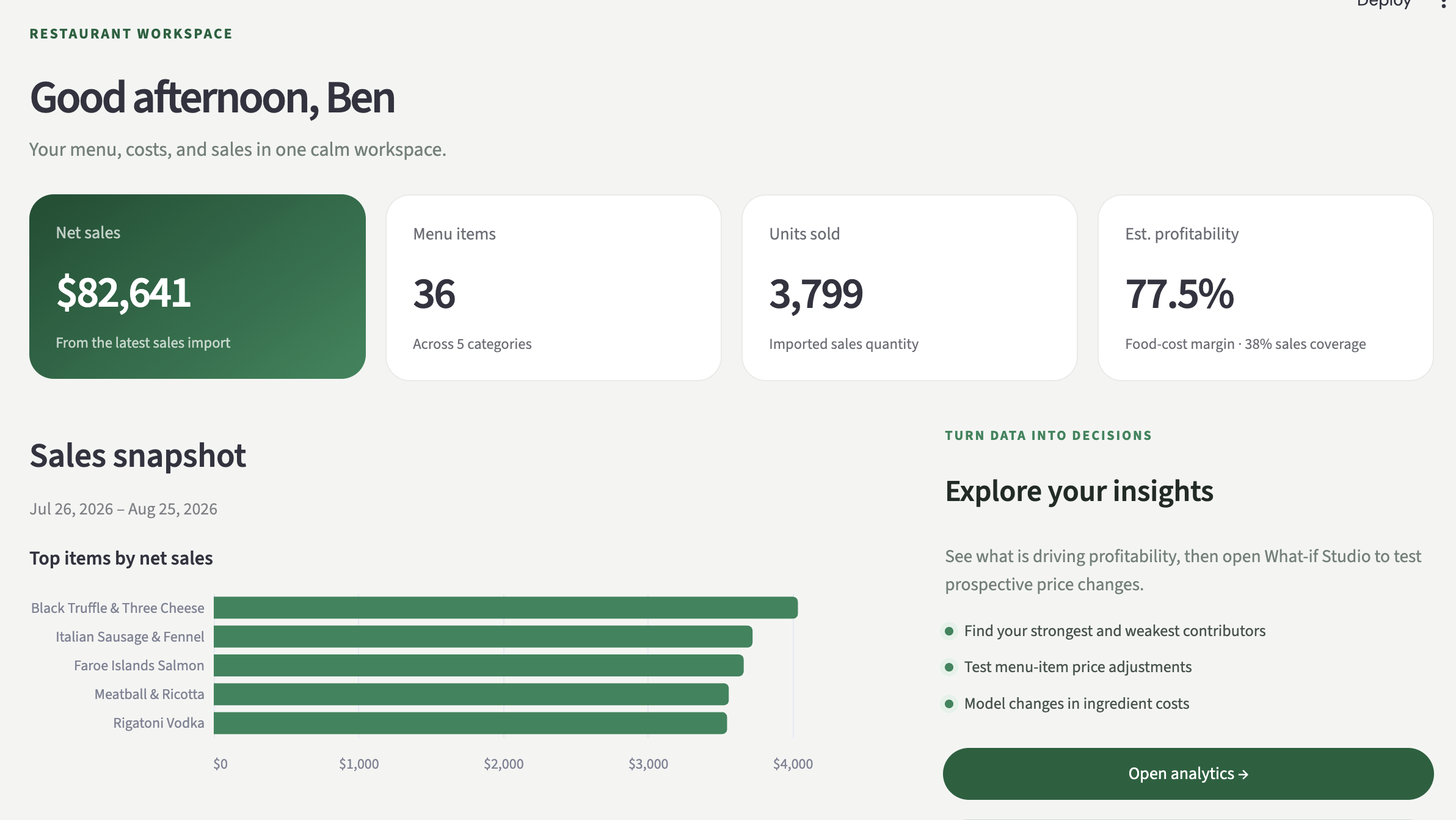
See MenuMeter in action
Watch a guided walkthrough of the setup, analytics, suggestions, and scenario-planning tools that turn your spreadsheets into action.
One connected workspace
MenuMeter guides each upload, uses AI to structure the data, and keeps everything connected—so you spend less time rebuilding spreadsheets and more time acting on the results.
Add menu photos or a PDF. MenuMeter extracts the items and prices for you to review.
Connect each dish to the ingredients and quantities it uses.
Upload an existing cost sheet or enter package quantities and prices directly.
Import your Clover or Toast sales report and match it to your menu.
From insight to next action
MenuMeter ranks opportunities across pricing, supplier costs, and menu engineering—then shows the evidence behind each recommendation in plain English.
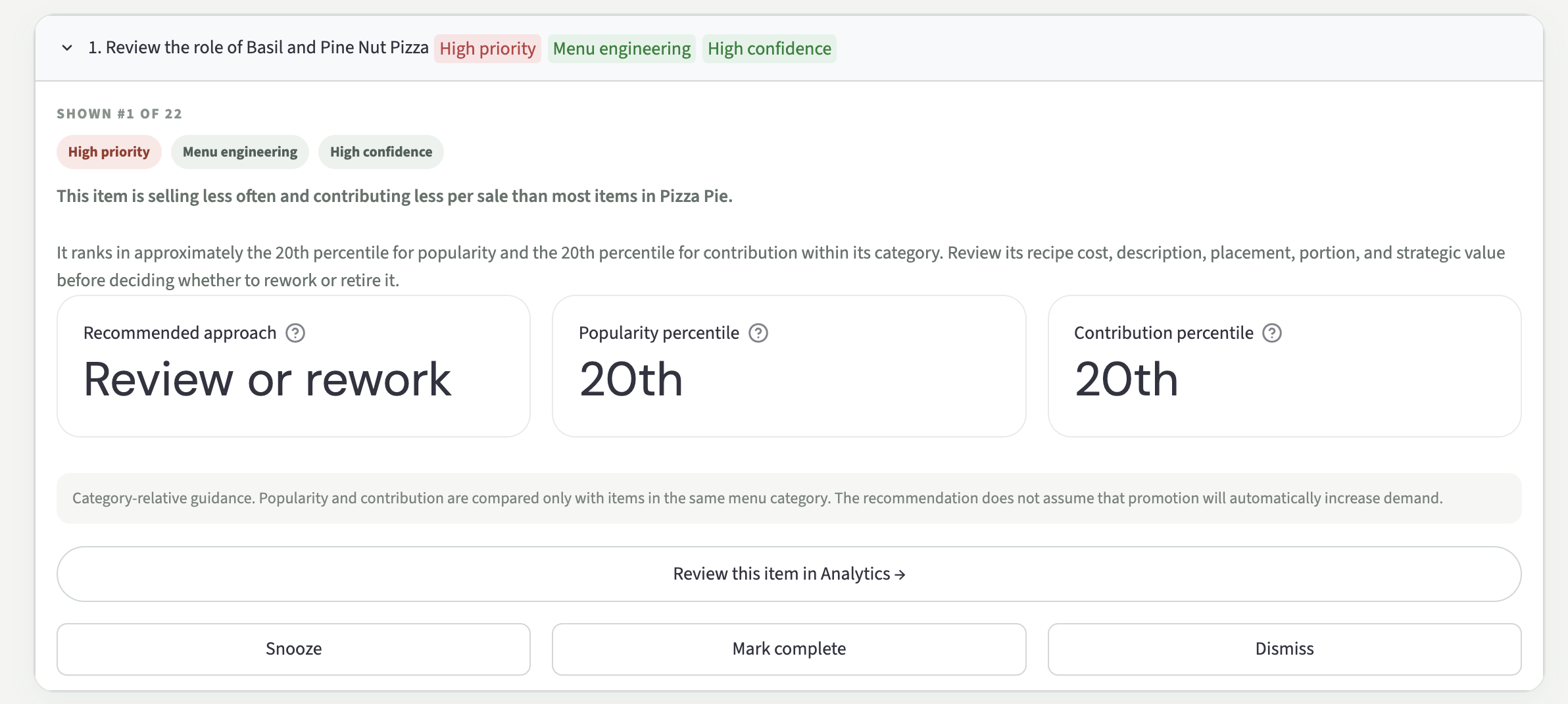
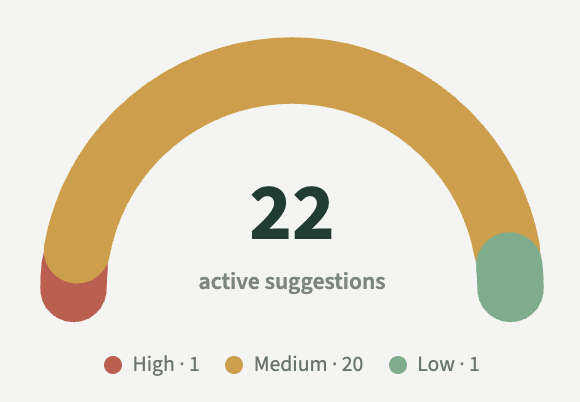
Focus first on the changes with the strongest modeled impact.
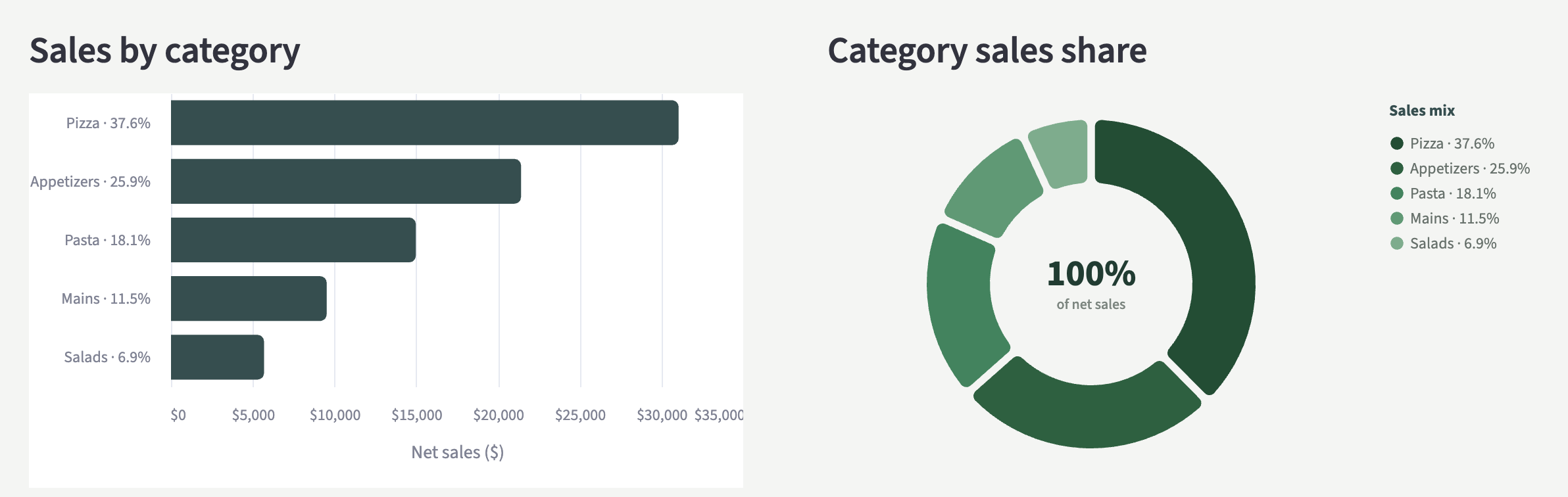
See the sales, contribution, and category context behind every suggestion.
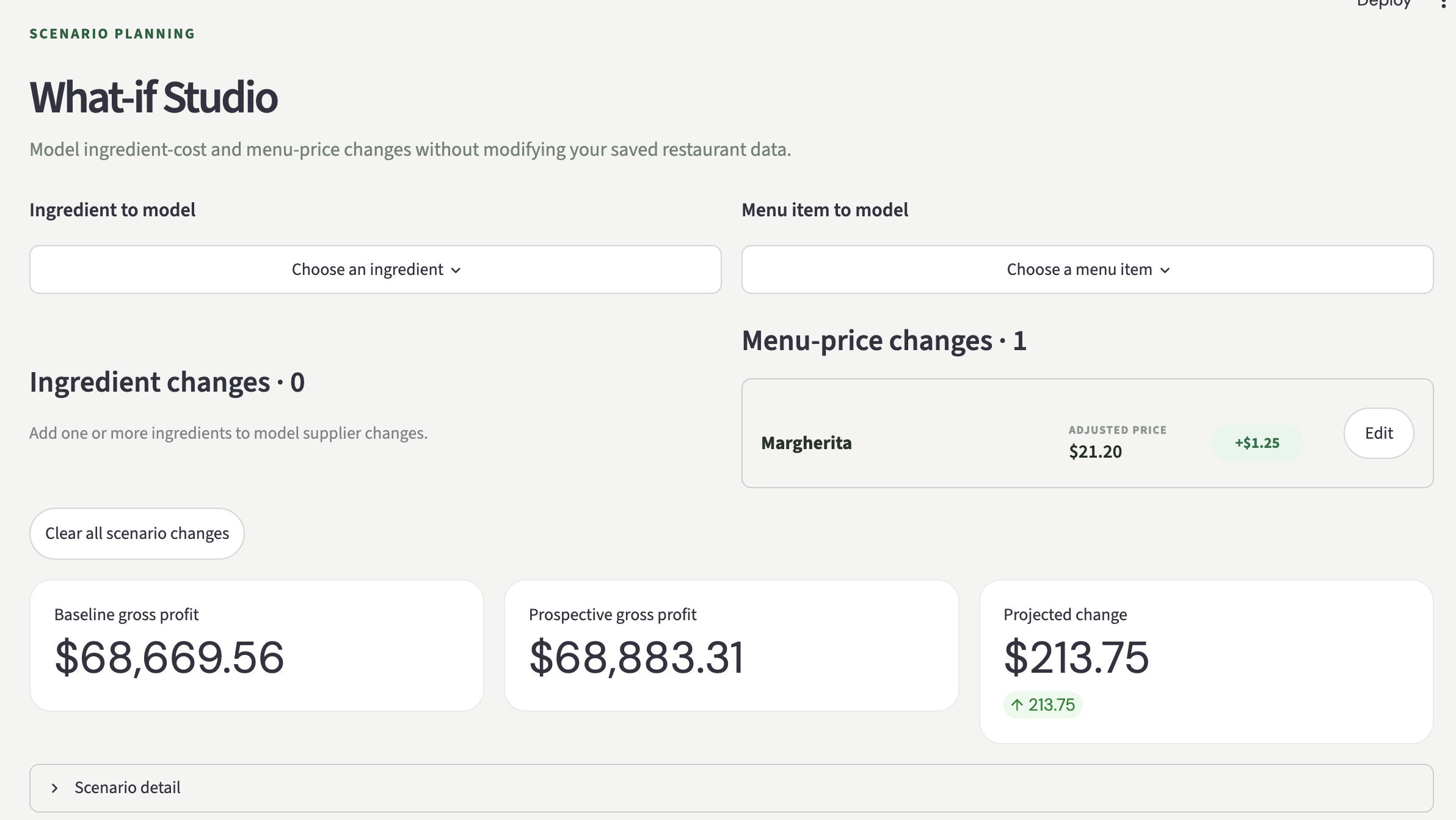
Send promising price and cost changes into What-if Studio before committing.
Clear answers, ready when you are
Skip the spreadsheet stitching. MenuMeter highlights what is selling, what is profitable, and where your next opportunity may be.
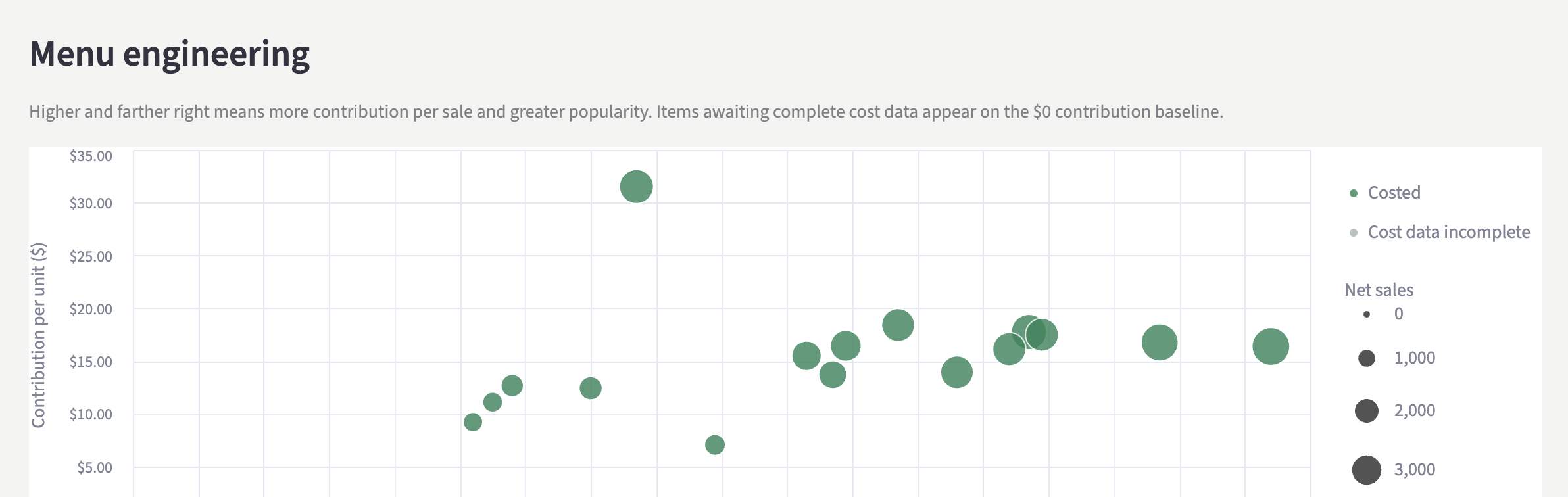
From sales to smarter purchasing
MenuMeter turns matched sales and recipe quantities into practical ingredient buying targets, then compares them with the quantities you currently order.
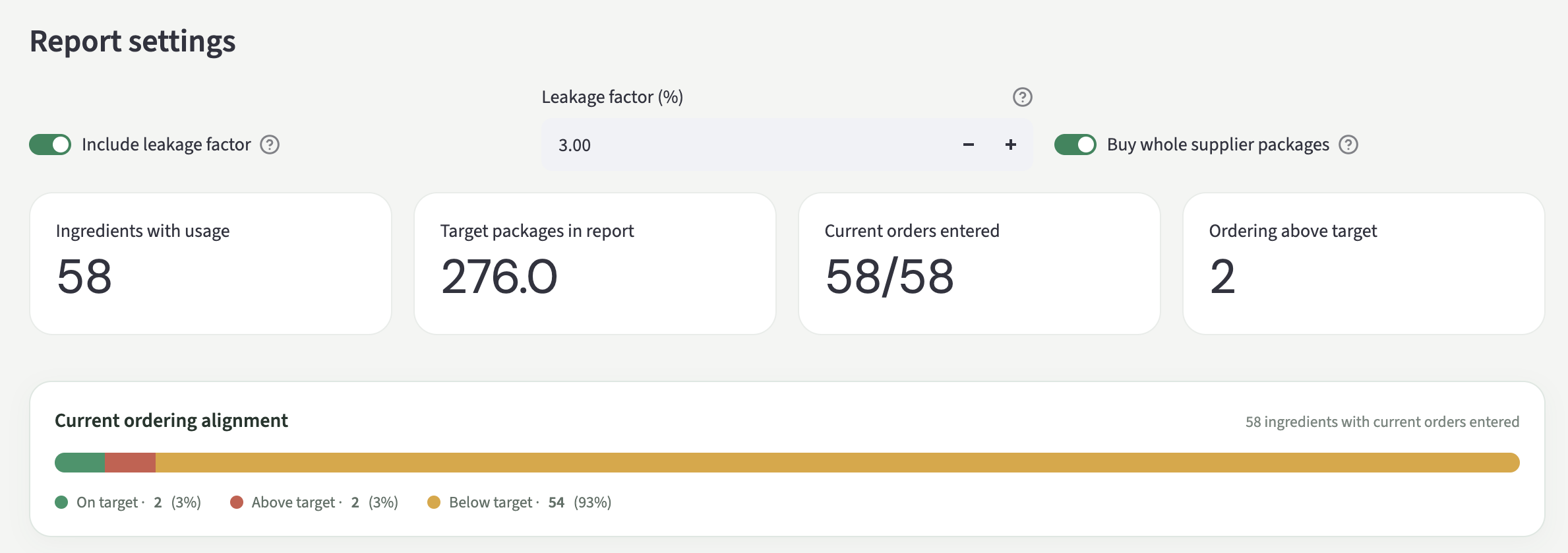

Add a leakage allowance for spoilage, breakage, burns, and other normal waste.
Round targets to the package sizes your suppliers actually sell.
Normalize weekly, bi-weekly, four-week, or monthly orders against the active sales period.
Plan before you commit
Model multiple supplier-cost and menu-price changes at once. See how potential adjustments affect gross profit without modifying your saved restaurant data.
Explore What-if Studio →Ready when you are
Open MenuMeter, create your restaurant workspace, and follow the guided setup to connect the files you already use.
Sign in or create an account to start your seven-day free trial and build your workspace.
Open MenuMeter →
Your menu has more to tell you
Upload your files, review your opportunities, and start making better menu decisions in minutes.
Get started with MenuMeter →